


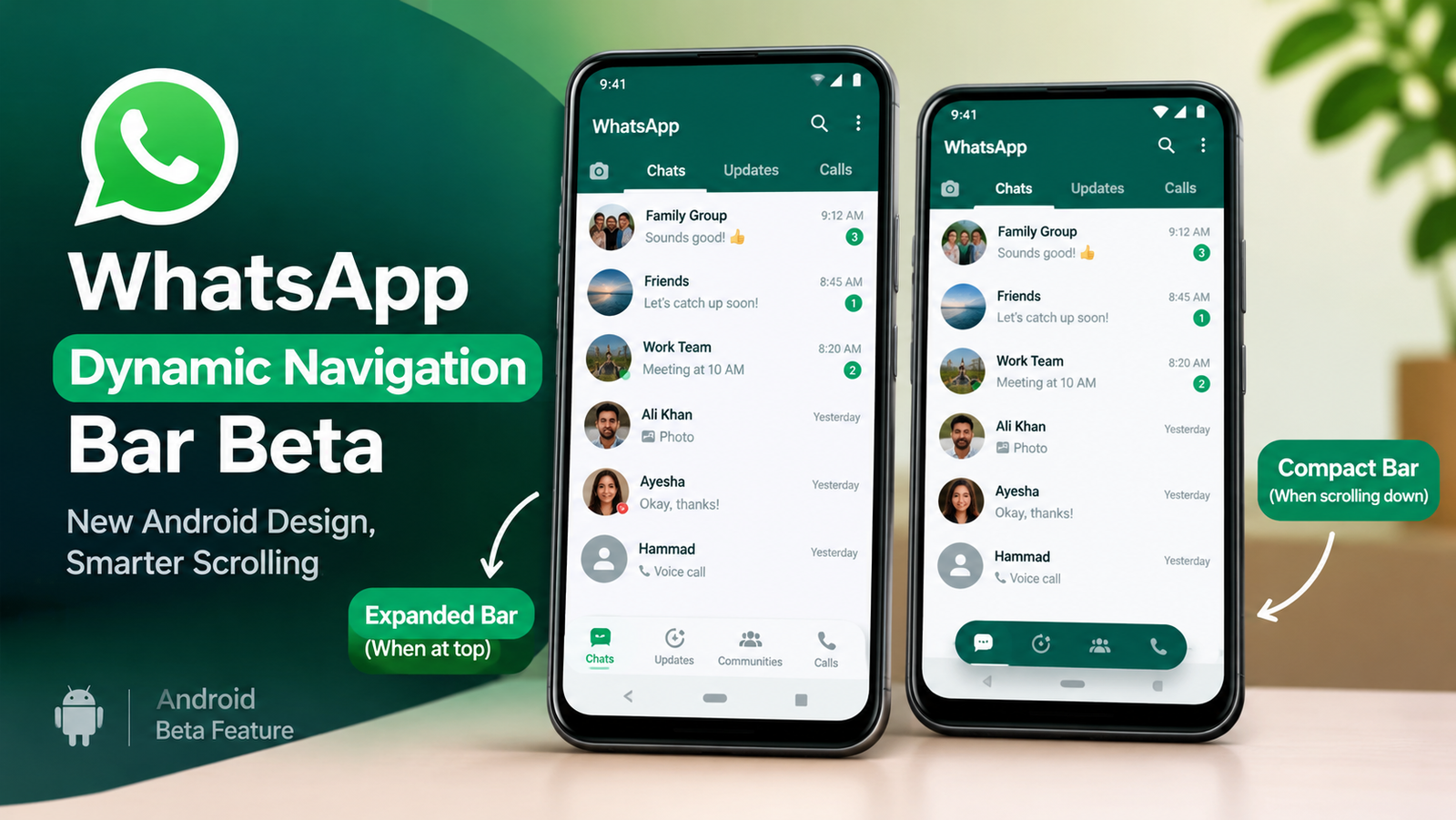
WhatsApp Dynamic Navigation Bar Beta is drawing attention as the messaging platform explores another change to its Android interface. The feature is designed to make the bottom navigation bar smaller when users scroll down and restore its full size when they scroll back up. If introduced widely, the change could give users more room to view their chats while keeping essential navigation options within reach.
According to WABetaInfo, the feature was identified in WhatsApp beta for Android version 2.26.41.6. However, it remains under development and is not yet available to beta testers. WhatsApp has not announced an official release date.
What Is the WhatsApp Dynamic Navigation Bar Beta?
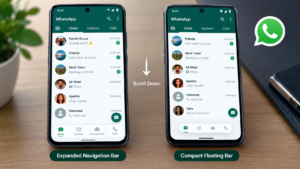
The WhatsApp Dynamic Navigation Bar Beta is an interface improvement that changes the size of the app’s bottom navigation bar according to the user’s scrolling direction. Instead of keeping the navigation bar at the same size all the time, WhatsApp is exploring a design that can switch between an expanded layout and a smaller floating version. When users scroll down through their chat list, the navigation bar is designed to shrink into a compact pill-shaped element. When they scroll back up, it expands to its original size.
The icons remain visible in the compact layout, allowing users to retain access to the app’s main sections without keeping the larger navigation bar on screen. The feature is part of WhatsApp’s ongoing work on its Android interface. Its final appearance and behaviour could change before a wider release.
How Will the New WhatsApp Navigation Bar Work?
The proposed design is intended to respond to how people move through the app.
1. The Navigation Bar Shrinks When Scrolling Down
When users scroll down to browse their conversations, the bottom navigation bar is designed to become smaller. Its width and height are reduced, turning it into a compact floating pill near the bottom of the screen. This could be useful for people who have long chat lists and regularly scroll to find older conversations.
2. The Full Bar Returns When Scrolling Up
When users scroll back up, the navigation bar is designed to expand again. This approach allows the interface to provide a more compact view while people browse content and a larger navigation area when they move back through the screen.
3. Navigation Icons Remain Visible
The compact design is not intended to remove the navigation options altogether. The icons remain visible in the smaller layout, helping users identify the main sections of the app. The exact final design could still change because WhatsApp is continuing to develop the feature.
Why Is WhatsApp Dynamic Navigation Bar Beta Testing a Navigation Bar?
The proposed change focuses on screen space and the overall browsing experience. WhatsApp users often scroll through long conversation lists to find a particular person or group. During that process, they may not need to switch between different sections of the app. A smaller navigation bar could give the chat list more room on the screen while keeping the main navigation options available.
The design also reflects a broader approach to mobile interfaces, where certain controls become less prominent during scrolling and return when users move in the opposite direction. However, the practical benefit will depend on how smoothly the bar responds and whether users find the compact layout easy to understand.
WhatsApp Dynamic Navigation Bar Beta Has Been Getting More Changes
The dynamic navigation bar is not the only interface change WhatsApp has been exploring. Recent reports from WABetaInfo have described several adjustments to the Android app’s bottom navigation design, including a floating layout with rounded corners, a version without text labels beneath the icons, and a circular indicator for the selected tab.
These changes suggest that WhatsApp is experimenting with different ways to make its navigation bar look cleaner and behave more naturally. The dynamic version adds another dimension to that work by changing not only the bar’s appearance but also its size during scrolling. Nevertheless, these experiments should not be treated as confirmation that every proposed design will appear in the final public version.
Is the WhatsApp Dynamic Navigation Bar Available Now?
No. According to WABetaInfo’s report, the dynamic navigation bar remains under development and is not currently available to beta testers. The feature was identified in WhatsApp beta for Android version 2.26.41.6, but its appearance in a beta build does not mean that users can already activate or use it.
WhatsApp has not announced a confirmed public rollout date. The company could make further changes before offering the feature to selected beta testers or releasing it more widely. Users should therefore be cautious of claims that the new navigation bar is already available to everyone or can be enabled through a simple settings change.
When Will WhatsApp Release the New WhatsApp Dynamic Navigation Bar Beta?
There is currently no confirmed release date for the WhatsApp Dynamic Navigation Bar Beta feature. WhatsApp may continue testing the design before deciding whether and when to introduce it to beta users. Even after a feature enters beta testing, availability can vary between accounts and app versions. For now, Android users should wait for an official update rather than expecting the new design to appear immediately.
What Does This Update Mean for Android Users?
If WhatsApp eventually releases the dynamic navigation bar, users could get a more flexible interface that adapts to their scrolling activity. The compact layout may be particularly useful when browsing long chat lists, while the expanded version could make the app’s navigation options easier to access when needed.
However, the change is primarily a visual and usability improvement. It does not currently indicate a new messaging feature, additional privacy protection, or a change to how conversations work. The most important point is that WhatsApp is still experimenting with the design. Its final appearance, availability and release schedule remain unconfirmed.
Final Thoughts on WhatsApp Dynamic Navigation Bar Beta!
The WhatsApp Dynamic Navigation Bar Beta highlights the platform’s continued efforts to refine its Android interface. By testing a navigation bar that shrinks during downward scrolling and expands when users scroll back up, WhatsApp is exploring a way to balance screen space with convenient navigation.
For now, the feature remains under development, and there is no confirmed public release date. Android users will need to wait for further updates to learn whether the dynamic design becomes part of the standard WhatsApp experience. Aspire Recorder will continue following WhatsApp’s Android updates as more details become available.
[…] WhatsApp Mentions and Replies Filter is rolling out to selected Android beta testers, introducing a new way to find important conversations without scrolling through dozens of group messages. The feature brings together chats where someone has mentioned a user or replied directly to their message, making it easier to identify conversations that need attention. […]